Scenario 1
A new starter waits for a laptop
Devices are ordered late and set up by hand.
What you can doWe order to agreed standards and use zero-touch deployment, so devices can ship straight to the user.

Device lifecycle
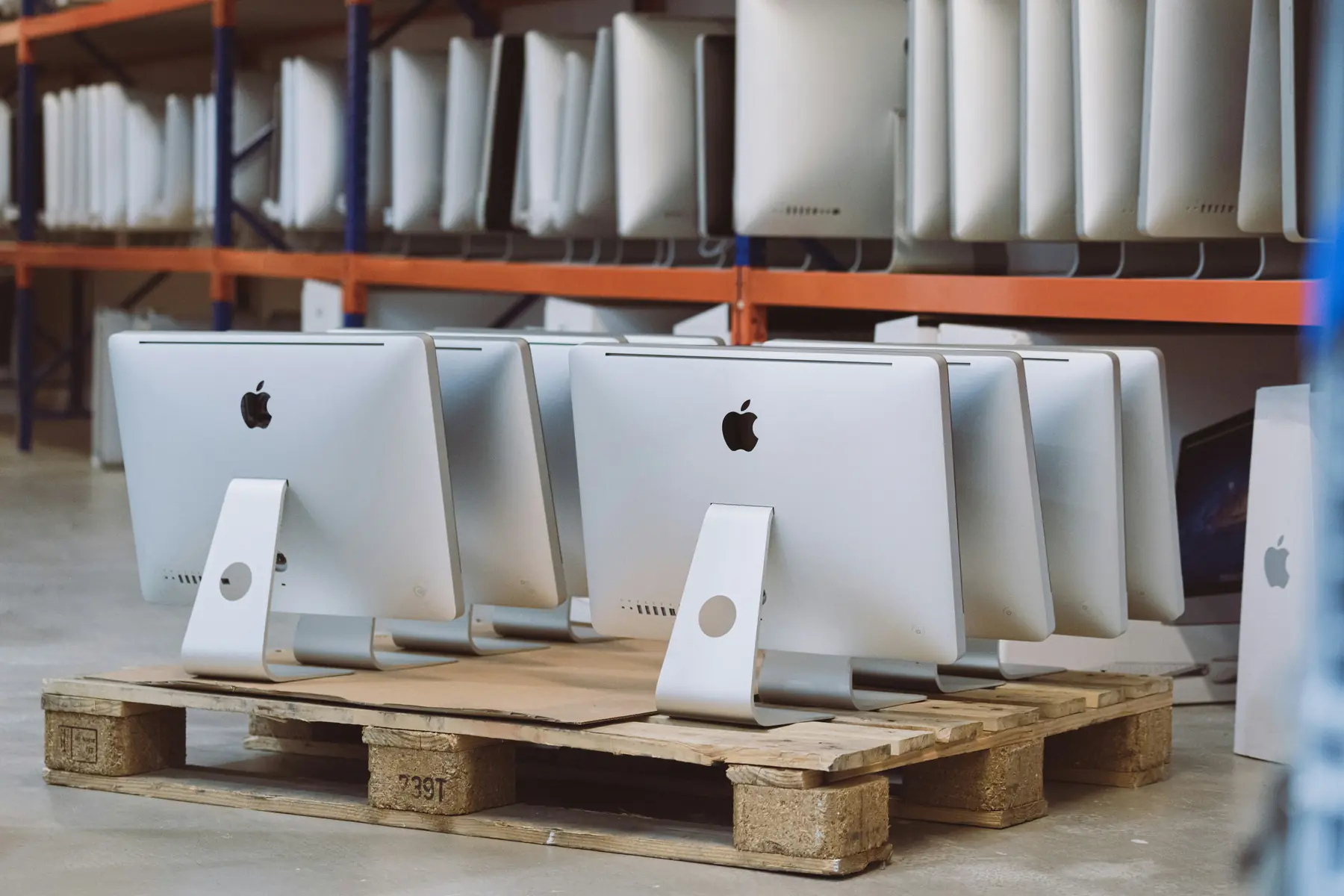
New starters waiting for laptops and old hardware in a cupboard cost time and create risk. Our device lifecycle management covers buying, deploying, tracking, repairing and securely retiring your Macs, Windows PCs, phones and tablets, so every device is ready, secure and accounted for.
The lifecycle review
Trusted by teams across UK government, healthcare, education, charities, financial services and global brands















The problems usually sit between buying, setting up and retiring devices.
Scenario 1
Devices are ordered late and set up by hand.
What you can doWe order to agreed standards and use zero-touch deployment, so devices can ship straight to the user.
Scenario 2
A device from a supplier not linked to your accounts will not set itself up.
What you can doWe set up your suppliers with Apple Business and Windows Autopilot, so new devices arrive registered to you.
Scenario 3
Without a current register, nobody is sure what was on it.
What you can doManaged devices can be locked remotely, and our asset register shows who had which device.
Scenario 4
Retired laptops and phones still hold company data. NCSC guidance says any device that may contain storage should be sanitised.
What you can doWe wipe devices securely, reuse them where it makes sense, and arrange secure disposal with certificates of destruction.
What changes when one team owns the whole lifecycle.
| Area | Without | With Postremo IT |
|---|---|---|
| Buying | WithoutDifferent models and suppliers for every order. | With Postremo ITDevices specified to your standards, ordered once a quote is agreed. |
| Set-up | WithoutEach device imaged or set up by hand. | With Postremo ITZero-touch: apps, settings and security in place at first sign-in. |
| Tracking | WithoutA spreadsheet that is never quite current. | With Postremo ITAn asset register, with warranty and AppleCare tracked. |
| Retirement | WithoutDevices kept, binned or sold without records. | With Postremo ITSecure erasure, reuse where sensible, and certificates of destruction kept for audit. |
One process for every device, whatever the make.
Procurement
We source Mac, iPhone, iPad and Windows devices and accessories through our distributors and resellers, to your standards.
Book a lifecycle reviewZero-touch
Devices are assigned in Apple Business or registered with Windows Autopilot, then set themselves up at the user’s desk or home.
Track and repair
We keep the asset register current, track warranty and AppleCare, and arrange repairs, replacements and loan devices.
Erase and dispose
Devices wiped securely and reused where it makes sense, or disposed of securely.
Apple Business replaced Apple Business Manager in April 2026. Apple says zero-touch deployment is available when devices are bought through Apple or an Apple Authorised Reseller. They are assigned to Jamf Pro and enrol through PreStage enrolment when first switched on. When lockdown closed the advice centres of Debt Free Advice, we set up zero-touch Mac laptops so advisers could keep helping people.
Windows devices are registered with Windows Autopilot, usually by the manufacturer, reseller or a Microsoft partner once your administrator has approved them. Microsoft notes that a replaced motherboard needs registering again.
We follow the principles in the NCSC’s guidance on secure sanitisation of storage media.
The NCSC says a factory reset of an encrypted device, such as a Mac with FileVault or a PC with BitLocker, deletes the encryption keys and makes the data unreadable, though this cannot be guaranteed for every device. FileVault and BitLocker go on as standard on the devices we manage.
For iPhone and iPad, Return to Service wipes a device and re-enrols it automatically, so it can go to the next person quickly.
Where data may remain, or a device held sensitive data such as personal information, the NCSC recommends erasing it and then destroying the storage. We arrange secure disposal with certificates of destruction, and keep the records for your audit trail.
Can’t see your question? Call us on +44 20 7550 9103 or book a call.
Yes. We source Mac, iPhone, iPad and Windows devices and accessories through our distributors and resellers, to standards agreed with you, and only order once a quote has been agreed. Orders are linked to Apple Business and Windows Autopilot, so new devices arrive registered to you and set themselves up at first sign-in.
No. Apple devices must come from Apple or an authorised reseller linked to your Apple Business account. Windows devices must be registered with Windows Autopilot. We set this up with your suppliers.
Apple Business is Apple’s free platform for organisations, which replaced Apple Business Manager in April 2026. It assigns new devices to your device management service, such as Jamf Pro, for zero-touch set-up.
We wipe them securely and reuse them where it makes sense. For the rest, we arrange secure disposal with certificates of destruction. We keep records for your audit trail.
For an encrypted device, NCSC guidance says a factory reset deletes the encryption keys, which makes the data unreadable, though this cannot be guaranteed for every device. Where sensitive data was held, erase the device and then destroy the storage.
Yes. We keep your asset register current, track warranty and AppleCare, and arrange repairs, replacements and loan devices where needed. Because every device is in the register, we can see who has it, how old it is and what cover it has before we book a repair or order a replacement.
Tell us how you buy, set up and retire devices today. We will show you what we would change.
London head office
Postremo IT Limited
Level 24, One Canada Square
Canary Wharf
London E14 5AB
+44 20 7550 9103
info@postremoit.com
Also in Dubai
Business Bay, Dubai
Your brief: