
Insights
Jamf, Intune, Iru, Workspace ONE or JumpCloud? Choosing an MDM in 2026
A practical comparison of five device management platforms, and how to match one to your estate.
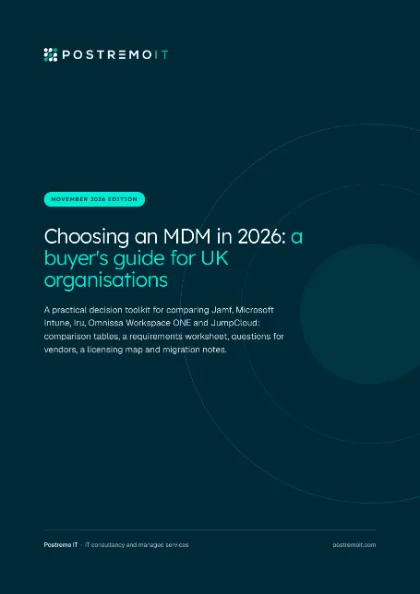 Running a selection? Get the free buyer’s guide: a requirements worksheet, questions for vendors and a licensing map.Get the PDF
Most organisations choosing a mobile device management (MDM) platform end up with the same five names on the list: Jamf, Microsoft Intune, Iru (formerly Kandji), Omnissa Workspace ONE and JumpCloud. They overlap, but they start from different places. Some are built around Apple, some around Windows and Microsoft 365, and one around identity. This guide sets out what each one covers, where each is strongest and what to weigh up, so you can match the platform to your own estate.
How we compared them
We looked at seven things that decide most MDM choices: which platforms each one manages; depth on Apple (support for new Apple releases, declarative device management and Platform SSO); depth on Windows; whether it can report device compliance to Microsoft Entra ID for Conditional Access; security add-ons; hosting and UK or EU data regions; and how licensing works. Later sections cover identity providers, AI controls, security tooling and estate fit. We have not included prices, because they change and depend on your agreement.
An open disclosure: we are a Jamf partner and we also deliver Microsoft Intune. We have kept this comparison factual by using vendor documentation and third-party sources, together with Apple’s and Microsoft’s. Where a point comes from a vendor’s marketing rather than its technical documentation, we say so. Everything was checked in November 2026, and all five products change often, so check current documentation before you decide.
At a glance
| Area | Jamf | Intune | Iru | Workspace ONE | JumpCloud |
|---|---|---|---|---|---|
| Platforms managed | macOS, iOS, iPadOS, tvOS, watchOS, visionOS and Android. No Windows. | Windows, macOS, iOS, iPadOS, Android, Linux and ChromeOS | Apple, Windows and Android | Windows and Windows Server, macOS, iOS, iPadOS, Android, Linux, ChromeOS, rugged devices; tvOS and visionOS for specialised use (Omnissa says) | macOS, Windows and Linux by agent; iOS, iPadOS and Android by MDM |
| New Apple releases | Jamf says same-day; tested compatibility, not every new feature | No blanket same-day promise; Microsoft reported day-zero support for OS 27 AI settings, other items in monthly releases | Iru added iOS, iPadOS and tvOS 27 Managed OS support on release day | Omnissa says day-zero for new Apple hardware and OS releases | JumpCloud says Day 0; not every new feature |
| Declarative device management | Yes, through Blueprints | Yes, DDM update policies | Yes, Managed OS | Omnissa says DDM is core | Yes, DDM patch policies |
| Platform SSO with Entra ID | Documented | Documented, in all plans | Documented | Documented | Not found in the documents we checked |
| Windows | Not offered | Autopilot, Autopatch, co-management | Microsoft MDM framework plus Iru Agent; Autopilot (needs Entra ID and Microsoft licensing) | Autopilot (needs Entra ID and Microsoft licensing), Windows Update for Business | Agent on Windows 10, 11 and Server |
| Entra compliance partner | Yes | Native | Yes | Yes | Not listed; own access policies |
| Security add-ons | Jamf Protect and Jamf Connect, in the Jamf plans | Intune Suite tools, such as Endpoint Privilege Management | EDR and vulnerability management (Mac and Windows) | Vulnerability management and remote support (Platinum) | Identity (directory, SSO, MFA); partner EDR |
| Hosting and data region | Jamf Cloud, with London and Frankfurt regions | Cloud; Europe geography, no UK geography | Cloud; EU tenant region, location not stated | SaaS with a UK region | US by default; EU (Frankfurt) for new customers |
| Licensing | Per device, annual, 25-device minimum | Per user, included in Microsoft 365 Business Premium, E3 and E5 | Quote-based, on users and devices | Per device or per user, annual, in editions | Per user, in packages |
Two rows need care. “Same-day” or “day-zero” support means different things to each vendor, so ask what it covers. Jamf says it means compatibility tested on Apple’s beta releases, JumpCloud says Day 0 does not mean every newly announced Apple feature, and Microsoft makes no blanket promise. And device compliance from a partner reaches Entra ID for Android, iOS, iPadOS and macOS, not for Windows.
Jamf
What it is
Jamf focuses on Apple. Francisco Partners completed its acquisition of Jamf on 30 January 2026, taking the company private. Jamf now sells plans rather than single products: Jamf for Mac, and Jamf for Mobile for iOS, iPadOS, visionOS, watchOS, tvOS and Android. Both are powered by Jamf Pro, Jamf Connect and Jamf Protect. Jamf Now is aimed at organisations with fewer than 25 employees.
Where it is strongest
Depth on Apple. Jamf announced same-day support for macOS 27, iOS 27, iPadOS 27, tvOS 27, visionOS 27 and watchOS 27 on 14 September 2026, and says this is its 15th consecutive year of same-day support. Its own release notes explain that this means compatibility tested on Apple’s beta releases, not every new Apple feature on day one.
Blueprints bring declarative device management to Jamf Pro, including software updates enforced with a target version and a deadline. That matters now, because macOS 27 no longer accepts the old MDM software update commands. Jamf Pro also includes Compliance Benchmarks built on the macOS Security Compliance Project, with built-in CIS Level 1 and 2 and NIST 800-53 Low, Moderate and High baselines, and App Installers, Jamf-maintained Mac app packages from the Jamf App Catalog that update automatically (Jamf says usually within one business day).
For Microsoft 365 organisations, Jamf documents Platform SSO for Microsoft Entra ID, and Jamf Pro is a generally available Intune device compliance partner, so Entra Conditional Access can evaluate Jamf-managed devices. Jamf Cloud offers a London hosting region as well as Frankfurt. In 2026 Jamf made its AI Assistant generally available and added BYOD for iOS and Android.
What to weigh up
Jamf does not manage Windows, so a mixed estate needs a second tool for PCs, most often Intune. If you host Jamf Pro yourself rather than on Jamf Cloud, check Jamf’s current requirements for Blueprints, which launched in March 2025 for Jamf Cloud customers.
Microsoft Intune
What it is
Intune is Microsoft’s cloud endpoint management service. It manages Windows, macOS, iOS, iPadOS, Android, Linux (Ubuntu Desktop and Red Hat Enterprise Linux) and ChromeOS. Intune Plan 1 is included in Microsoft 365 Business Premium, E3 and E5, and is licensed per user.
Where it is strongest
Windows and Microsoft 365. Windows Autopilot handles provisioning and Windows Autopatch handles updates for Windows, Microsoft 365 Apps, Edge, Teams, drivers and firmware. Co-management lets Configuration Manager and Intune manage Windows devices together, moving workloads across one at a time. Microsoft states day-zero support for validated Windows 11 26H2 settings in the Settings Catalog.
Intune is also the service that third-party MDM partners report device compliance into for Entra Conditional Access. From July 2026, Microsoft 365 E3 includes Intune Plan 2, Remote Help and Advanced Analytics, and E5 adds Endpoint Privilege Management, Enterprise App Management and Cloud PKI. On Mac, Platform SSO is configured in the Settings Catalog and is included with all Intune licensing plans, Apple software updates now use DDM update policies, and Defender for Endpoint, which Intune can deploy, supports new macOS releases from the first day Apple makes them generally available.
What to weigh up
On Apple, Microsoft does not publish a blanket same-day promise. It adds OS 27 capabilities through its monthly service releases. Intune supports the three most recent Apple versions, so after macOS 27, new Macs on macOS 14 or earlier cannot enrol. Microsoft’s app management table shows “Apps from a store” and “Update apps” as not supported for macOS, so check how Mac app updates will be handled, and the Enterprise App Catalog is for Windows apps only and needs a licence beyond Plan 1 or Plan 2. Intune runs in North America, Europe and Asia Pacific, with local geographies for Australia, India and Switzerland, but there is no UK-specific geography, and the region is set from the tenant country and cannot be changed.
Iru (formerly Kandji)
What it is
Kandji rebranded as Iru on 22 October 2025 and launched six products: Workforce Identity, Endpoint Management, Endpoint Detection and Response, Vulnerability Management, Compliance Automation and Trust Center. Kandji Device Management became Iru Endpoint Management. With the rebrand it added Windows and Android management alongside Apple. Iru says “Apple remains the foundation, with a dedicated Apple team”. Its chief executive told Computerworld that over 80% of Kandji’s Apple customers also used another tool, such as Intune, for Windows or Android.
Where it fits
Apple-first organisations that also want Windows and Android in the same tool. Iru Managed OS uses declarative device management on all supported macOS versions, and Iru added Managed OS support for iOS 27, iPadOS 27 and tvOS 27 on 14 September 2026, the day Apple released them. Auto Apps are pre-packaged Mac and Windows apps that Iru validates and keeps updated, with options to enforce updates. Iru documents Platform SSO with Entra ID and Return to Service, and it is a generally available Intune device compliance partner. EDR and vulnerability management cover Mac and Windows.
What to weigh up
Windows and Android management were added in October 2025. On Windows, Iru uses a hybrid model: the Microsoft MDM framework handles enrolment and policy, and the Iru Agent handles apps, inventory and PowerShell scripts. Windows Autopilot is supported, but needs Entra admin access and Microsoft licensing that covers Autopilot and MDM auto-enrolment. Existing Kandji customers must upgrade their tenant to Iru by 1 December 2026; devices and configurations carry over, but SAML, Google and Microsoft sign-in connections have to be recreated. Iru tenants are region-isolated with an EU option, but we did not find a UK region or a named EU location. Pricing is quote-based and modular, and Iru does not state whether the unit is per device or per user.
Omnissa Workspace ONE
What it is
Omnissa is the former VMware End-User Computing business. It became an independent company on 1 July 2024, when KKR completed its purchase of the division from Broadcom. Amit Singh became chief executive on 28 September 2026. Workspace ONE UEM is its unified endpoint management product.
Where it is strongest
Breadth. Workspace ONE UEM covers Windows (including Windows Server, generally available since May 2026), macOS, iOS, Android, Linux, ChromeOS and rugged and specialised devices. On Apple, Omnissa claims “day zero support for new Apple hardware and OS releases” and describes DDM as a core part of its Apple strategy; it also lists Platform SSO, Return to Service and a repository of pre-packaged Mac apps. Omnissa publishes a tutorial for deploying macOS Security Compliance Project baselines, including CIS Level 1 and 2, with automated remediation. Workspace ONE UEM SaaS has a UK region, and it is an Intune device compliance partner. Licensing is per device or per user.
What to weigh up
There are several editions, from Mobile, Desktop and UEM Essentials up to Enterprise and Platinum, and some features, such as vulnerability management and remote support, sit in Platinum, so map the features you need to an edition early. Windows Autopilot onboarding needs Entra ID integration and Entra ID P1. When Workspace ONE reports compliance to Intune, admins must sync manually in the UEM console after changing assignments in Intune. Omnissa’s Sovereign Solution, run by a local partner, is available in Germany and Austria; the UK is not mentioned. If you run Workspace ONE on-premises, ask Omnissa for its current lifecycle dates.
JumpCloud
What it is
JumpCloud is a privately held company headquartered in Louisville, Colorado. It describes itself as a unified IT management platform built around identity, with directory, SSO, MFA and device management together. Device management is one module among its identity and access products.
Where it is strongest
Identity-led, cross-platform estates. The JumpCloud agent supports macOS 14 to 27, Windows 10 and 11 (including Arm), Windows Server 2016 to 2025 and a wide range of Linux distributions. iOS, iPadOS and Android are managed through native MDM, with Android Enterprise for fully managed, dedicated and personal work-profile devices. JumpCloud offers DDM-based macOS patch and update policies and supports the new OS 27 enrolment skip keys. MDM and patch management are in every package except SSO, and new EU customers can choose an EU data centre in Frankfurt at no extra cost.
What to weigh up
JumpCloud is not a listed Intune compliance partner. JumpCloud says its conditional access works through its own policies, not as a compliance signal in Entra ID, which matters if Microsoft 365 is your main identity platform. The EU data centre is for new customers only, data may still be processed outside the EU under its data processing agreement, and there is no UK region. Windows Home is only partly supported, and JumpCloud recommends Windows Pro. Third-party app patching is documented for Windows through its App Catalog; check Mac app patching with JumpCloud.
Identity providers beyond Microsoft
Many organisations sign in with Okta, Google Workspace or JumpCloud rather than Microsoft Entra ID. On a Mac, the MDM delivers the Platform SSO configuration and the identity provider supplies the extension, which must support each feature you plan to use. Features also depend on the macOS version: Platform SSO during Automated Device Enrollment arrived in macOS 26.
Entra ID and Okta are the identity providers most of these platforms document for Platform SSO. Intune’s own Platform SSO is for Entra ID, though Okta publishes a guide for deploying its extension with Intune. JumpCloud can deploy another provider’s extension, and its own Mac sign-in runs through the JumpCloud agent. For Google Workspace, we could not find a Google-published Platform SSO extension; Jamf Connect (with a paid Google Workspace subscription) and Iru Passport both support Mac sign-in with Google accounts.
Device trust also differs by identity provider. Entra Conditional Access takes signals from other MDMs only through Intune’s compliance partner programme. Okta Device Assurance checks attributes reported by the Okta Verify app, and Okta’s managed device signal relies on the MDM deploying Okta Verify. Google context-aware access can use signals from Jamf, Omnissa and Intune (desktop devices only), but Google does not list it for Business editions.
| Capability | Jamf | Intune | Iru | Workspace ONE | JumpCloud |
|---|---|---|---|---|---|
| Platform SSO identity providers documented | Entra ID, Okta | Entra ID; Okta publishes an Intune guide | Entra ID, Okta (Okta item labelled Early Access by Iru) | Omnissa Access, Entra ID, Okta | Deploys another provider’s extension |
| Platform SSO in Setup Assistant (macOS 26) | Yes, Simplified Setup | Yes, Entra ID only | Documented for Okta | Yes, with Access, Entra ID or Okta | Not found in the documents we checked |
| Mac sign-in tool | Jamf Connect: Entra ID, Okta, Google and others | Platform SSO | Passport: Google, Entra ID, Okta, OneLogin and other OIDC providers | Platform SSO, including with Omnissa Access | JumpCloud agent with JumpCloud credentials |
| Sign-in during enrolment | SAML providers, with guides for Okta and Google | Entra ID | Custom SAML, Google, Entra ID | Access, Entra ID or Okta, with Platform SSO | JumpCloud |
| Entra Conditional Access | Compliance partner | Native | Compliance partner | Compliance partner | Not listed; own access policies |
| Okta device trust | Regularly tested by Okta | Regularly tested by Okta | Iru documents an Okta integration | Regularly tested by Okta | Desktop device trust factor for Okta |
| Google context-aware access partner | Yes | Desktop devices only | Not listed by Google | Yes | Not listed by Google |
Managed Apple Accounts are federated in Apple Business, not the MDM, with Google Workspace, Entra ID or any other OIDC provider, one at a time; JumpCloud documents acting as that provider. Usernames must match email addresses, and connections expire and stop syncing until reconnected.
AI governance and controls
Two questions matter: how the MDM controls AI features on devices, and how the vendor’s own AI assistant handles your data. Every MDM here documents Apple Intelligence controls. Windows AI settings are delivered through Intune, or through custom profiles in other Windows-capable tools, so check each vendor’s documentation.
Controlling AI on Apple devices
Apple controls Apple Intelligence through declarative configurations, with a separate switch for each feature rather than one off switch. They need OS 26.4 or later and supervision, so personal devices in User Enrolment cannot receive them. A separate configuration turns off ChatGPT or limits it to one workspace; Apple’s iOS 27 notes list fixes to it, so test on 26.x. OS 27 adds switches for Siri AI and Visual Intelligence, and a declaration to allow or deny apps, and binaries on the Mac.
Apple notes that not every MDM supports every setting. Jamf added Apple Intelligence settings to Blueprints in April 2026 and offers Jamf AI Governance for Mac; Intune and Iru document the OS 27 additions. For personal iPhones, Intune app protection policies can block Writing Tools, Genmoji and screen capture inside managed apps.
Controlling AI on Windows
Recall is disabled and removed by default on commercially managed devices; IT must allow it and each user must opt in. Microsoft has deprecated its old Copilot policy and recommends AppLocker to block the Copilot app. Recall filtering, policy-based removal of the Copilot app and agent connector policies need Windows Enterprise or Education, so Pro devices, common on Business Premium, get a narrower set.
Browsers and data loss prevention
Switching features off does not stop people pasting data into AI websites. Purview Endpoint DLP can block sensitive data pasted into Edge, Chrome, Firefox and Safari on macOS without an extension. It needs Defender for Endpoint and E5-level Purview licensing, so it can protect Macs on any MDM, though Microsoft warns it can stop working after a macOS update. JumpCloud can warn on or block AI sites in the browser, Jamf has announced Mac DLP and browser AI governance for the fourth quarter of 2026 (not yet available), and Omnissa says Elara, in beta, will discover and govern AI tools.
Each vendor’s own AI assistant
All five vendors now offer AI in the admin console, with different defaults, permissions and processing locations.
| Area | Jamf | Intune | Iru | Workspace ONE | JumpCloud |
|---|---|---|---|---|---|
| Default state | Off by default | Available once Security Copilot is provisioned, automatically for eligible E5 and E7 tenants; not included in E3 or Business Premium | On by default; Account Owners can turn it off, though some compliance features can still use it | Default state not stated in the documents we checked | Off by default; opt-in |
| Can it make changes? | No, read-only, under the admin’s own permissions | Follows Intune roles and scope tags; agents need admin approval | An Actions agent runs actions the admin authorises, logged in Activity | Not stated; tools include Knowledge Search and Data Analysis; its MCP server is limited by admin role | Yes, after asking for approval; mirrors the admin role |
| Model provider | Anthropic Claude through AWS Bedrock | Azure OpenAI | Not named in Iru’s documentation | Azure OpenAI | Google Gemini, per JumpCloud’s AI docs (its sub-processor list also names OpenAI) |
| Processing location | Jamf says US, Frankfurt or Tokyo, by customer region; London-hosted instances: not stated | Outside the EU Data Boundary; UK tenants’ prompts processed globally (US, UK, EU, ANZ) by default | Not stated | Knowledge Search for UK customers hosted in Ireland | Not stated |
| Training and retention | Jamf says data is not used to train Anthropic’s models; conversations deleted after 30 days | Microsoft says customer data is not used to train Azure OpenAI foundation models | Iru says conversations are not used to train models | LLM vendors barred from training on customer content; Omnissa uses feedback and usage data to improve Omni; kept 90 days | JumpCloud says customer data is not used to train LLMs |
None of the five documents UK-only processing for its admin AI. For public sector, defence-related or DIFC-regulated work, ask each vendor to confirm locations in writing first.
Security tooling, SIEM, SOC and telemetry
If a security operations centre (SOC) watches your estate, the MDM is only part of the picture. The questions are which endpoint protection you run, and how its alerts, telemetry and admin audit logs reach your SIEM.
| Area | Jamf | Intune | Iru | Workspace ONE | JumpCloud |
|---|---|---|---|---|---|
| Endpoint protection | Jamf Protect: Mac and mobile; built on Apple’s Endpoint Security API | Defender for Endpoint: Windows, macOS, Linux, Android, iOS; Defender for Business in Business Premium | Iru EDR: Mac; Windows detection only (Detect mode, x64) | Partner EDR such as Carbon Black through Omnissa Trust Network; Mobile Threat Defense (Lookout) for mobile | Partner EDR such as CrowdStrike and SentinelOne |
| Vulnerability management | Jamf says Protect reports CVEs for out-of-date OS versions | Defender Vulnerability Management, all major platforms (core in Defender for Endpoint Plan 2) | Mac and Windows, with automatic remediation through Auto Apps | Omnissa Intelligence dashboards for Windows and macOS (Platinum) | Patch management for OS updates and Chrome |
| macOS compliance baselines | Compliance Benchmarks built in: CIS Level 1 and 2, NIST 800-53 Low, Moderate and High (mSCP) | Security baselines are for Windows, including STIG audit baselines | CIS Level 1 and 2 templates | mSCP tutorial (NIST, STIG, CIS) | Not found in the documents we checked |
| Microsoft Sentinel | Jamf-supported connector: alerts, telemetry, unified logs | Native | Not in Microsoft’s connector list | Microsoft-supported connector: inventory and apps | Not in Microsoft’s connector list |
| Other SIEMs | Jamf add-on for Splunk; Elastic; Google SecOps; direct from the Mac by HTTP, syslog or Kafka | Event Hubs to Splunk, QRadar or Elastic | Hourly Amazon S3 export; Elastic (preview, audit and inventory) | Syslog in real time; Google SecOps; Lookout connector for mobile threats | Events API (Premium); Elastic |
| Admin audit log export | Log Stream to Splunk, S3, Datadog or HTTPS (Jamf Cloud Premium) | Event Hubs, Storage or Log Analytics; two years through Graph | Hourly to Amazon S3 | Syslog, in real time | 90 days as standard; 13 months through the Events API (Premium) |
| APIs and events | Jamf Pro API; webhooks for 22 event types | Microsoft Graph | Scoped API tokens; MCP server | REST APIs; event notifications | Directory Insights and System Insights APIs |
For Mac telemetry, Jamf Protect can send Endpoint Security telemetry, unified logs and alerts straight from the Mac or from Jamf’s cloud, and Jamf maintains its own Sentinel connector and Splunk add-on. Defender covers every major platform and connects to Sentinel natively.
Read the scope notes. Iru documents its Windows EDR as detection only, Workspace ONE and JumpCloud work with partner EDR, and Microsoft’s Sentinel connector for Workspace ONE carries inventory rather than console audit events.
Check editions too. Jamf states Log Stream is available on the Jamf Cloud Premium offering, JumpCloud’s 13-month Events API needs Directory Insights Premium, and Omnissa’s vulnerability management sits in Platinum.
Which platform fits which estate
How each platform tends to fit, based on the documented capabilities above. This is not a ranking.
| Platform | Apple-only estate | Windows-only estate | Mixed estate |
|---|---|---|---|
| Jamf | Built around Apple: Blueprints, Compliance Benchmarks, Jamf Connect and Jamf Protect in one plan | Not applicable; Jamf does not manage Windows | The Apple side of a paired set-up, reporting compliance to Intune for Entra Conditional Access |
| Microsoft Intune | Suits Apple estates already licensed for Microsoft 365 and using Entra ID; Apple features arrive in monthly releases | Autopilot, Autopatch and co-management, often already licensed through Microsoft 365 | One console for everything, or the Windows side alongside a specialist Apple platform |
| Iru | Apple-first, now also cross-platform, with Managed OS and Auto Apps | Windows management since October 2025, using Microsoft’s MDM framework plus the Iru Agent | One platform for Apple, Windows and Android, or the Apple side alongside Intune |
| Workspace ONE | DDM (Omnissa says) and Platform SSO on Apple; worth weighing if other device types may follow | Windows and Windows Server, with Autopilot (needs Entra ID and Microsoft licensing) | Apple, Windows, Android, Linux, ChromeOS and rugged devices in one console |
| JumpCloud | Agent plus MDM, with JumpCloud as the directory and sign-in for identity-led teams | Agent on Windows 10, 11 and Server; JumpCloud recommends Windows Pro | One identity and device platform across macOS, Windows, Linux and mobile, with its own access policies |
In mixed estates, two patterns are common and both are well supported. One pairs a specialist Apple platform with Intune for Windows: Jamf Pro, Iru and Workspace ONE are Intune compliance partners, so Entra Conditional Access can use compliance from the Apple platform for Macs and from Intune for PCs, and all three document Platform SSO with Entra ID, so people use one work account on both. The other is a single cross-platform tool, such as Intune, Iru, Workspace ONE or JumpCloud, which gives one console, one set of policies and one licence and contract to manage.
The choice usually comes down to how much depth you need on each platform, how many consoles your team is happy to run, and which identity and security tools are already in place.
Common combinations
Many organisations do not choose one platform for everything.
- Jamf for Apple, Intune for Windows. Users still need an Intune licence, and Intune accepts one compliance partner per platform. See our Jamf vs Intune guide for when Intune alone is enough on Mac, and our guide to Platform SSO with Entra ID. Iru and Workspace ONE are also Intune compliance partners, so the same pattern can work with them.
- Intune with Configuration Manager. Co-management lets organisations move Windows workloads from Configuration Manager to Intune one at a time.
- JumpCloud on its own, as both identity platform and device management.
Changing platform later need not mean wiping devices. From macOS 26, iOS 26 and iPadOS 26, organisation-owned devices enrolled through Automated Device Enrollment can move to a new management service through Apple Business without being erased. This is an Apple capability, so it works with any MDM that supports it. Our migration guide shows the steps.
How to choose
Start with your own estate, not the feature lists. These questions settle most decisions:
- What share of your devices are Apple, Windows, Android and Linux, and how is that changing?
- Which identity provider do you use (Entra ID, Okta, Google Workspace or JumpCloud), and which access policies need device signals from the MDM?
- Which Microsoft 365 licences do you already hold, and is Intune already included?
- Where must your data be hosted, and does every product you need, including any admin AI assistant, meet that?
- Which AI features must you control on devices, and do your Windows PCs run Pro or Enterprise?
- Which SIEM or SOC service needs your endpoint alerts, telemetry and admin audit logs, and is there a supported connector?
- How quickly do you need new Apple releases and features supported, and what does each vendor’s “same-day” promise cover?
- Who will run the platform every day, and which tools does your team already know?
Free buyer’s guide
Run your MDM decision properly
The companion to this article, built for the people running the selection. November 2026 edition.
- Requirements worksheet. Weight what matters to you and score your own shortlist.
- 29 questions for vendors. Ready for an RFP or a demo call.
- Licensing map and migration notes. What you may already own, and how to move without wiping devices.
How we help
We deploy and manage Jamf and Microsoft Intune every day, often together. If you are choosing an MDM, or reviewing the one you have, we can look at your devices, identity and data requirements with you and set out the options. Book a call to talk it through.
Sources
Frequently asked questions
Can’t see your question? Call us on +44 20 7550 9103 or book a call.
Is Kandji the same as Iru?
Yes. Kandji rebranded as Iru on 22 October 2025, and Kandji Device Management became Iru Endpoint Management. Existing Kandji tenants must upgrade to Iru by 1 December 2026. Devices and configurations carry over, but single sign-on connections for admins have to be recreated.
Does Jamf manage Windows PCs?
No. Jamf focuses on Apple, and Jamf for Mobile also covers Android. Organisations with Windows PCs usually pair Jamf with a Windows tool such as Intune, and Jamf Pro can report device compliance to Intune so Entra Conditional Access treats Macs and PCs alike.
Which platforms report compliance to Microsoft Entra ID?
Intune does so natively. Jamf Pro, Iru and Omnissa Workspace ONE UEM are generally available Intune compliance partners. The programme covers Android, iOS, iPadOS and macOS, and each partner’s scope varies. JumpCloud is not on Microsoft’s partner list and uses its own conditional access policies instead.
Which MDMs work with Okta or Google Workspace?
All five can work with Okta in some way. Okta publishes Platform SSO guides for Jamf Pro, Intune and Workspace ONE, Iru documents its own Okta deployment, and JumpCloud can act as a device trust factor for Okta. For Google Workspace, Jamf and Omnissa are Google context-aware access partners and Intune is a partner for desktop devices, while Jamf Connect and Iru Passport support Mac sign-in with Google accounts.
Can an MDM turn off Apple Intelligence and Windows Copilot?
Largely, but feature by feature. Apple provides a separate switch for each Apple Intelligence feature and for ChatGPT on supervised devices, and OS 27 adds controls for Siri AI and Visual Intelligence. On Windows, Recall is off by default on managed business devices, Microsoft recommends AppLocker to block the Copilot app, and several controls need Windows Enterprise or Education rather than Pro.
Can MDM and endpoint data go into Microsoft Sentinel or Splunk?
Yes, by different routes. Intune and Defender connect to Sentinel natively. Jamf provides a Sentinel connector and a Splunk add-on for Jamf Protect alerts, telemetry and unified logs. Microsoft supports a Sentinel connector for Workspace ONE inventory, and Workspace ONE can send events by syslog. Iru exports activity to Amazon S3, and JumpCloud offers an Events API with Directory Insights Premium.
Can we keep MDM data in the UK?
It depends on the platform. Jamf Pro offers a London region and Workspace ONE UEM SaaS has a UK region. Intune offers a Europe geography but not a UK one, JumpCloud offers Frankfurt for new customers, and Iru documents an EU region without naming its location. Check add-on products too, as they may be hosted elsewhere.
Do devices have to be wiped to change MDM?
Not always. From macOS 26, iOS 26 and iPadOS 26, organisation-owned devices enrolled through Automated Device Enrollment can move to a new management service through Apple Business without being erased.
What does same-day Apple support mean?
Each vendor defines it differently. Jamf describes it as compatibility tested on Apple’s betas, JumpCloud says it does not cover every new Apple feature, and Microsoft adds Apple capabilities through monthly Intune service releases. Ask what is supported on release day and what follows later.
Get new guides by email
Practical updates on Apple, Jamf, Microsoft 365 and security. Unsubscribe at any time.
Start with a 1-hour conversation
Tell us what you want your IT to do next. We’ll ask about your people, devices and plans, and tell you honestly whether we’re the right fit.
London head office
Postremo IT Limited
Level 24, One Canada Square
Canary Wharf
London E14 5AB
+44 20 7550 9103
info@postremoit.com
Also in Dubai
Business Bay, Dubai